

Tap in. Tap out.
Timetap keeps track of working hours and projects for a small workplace. Tap a tag on a reader by the door or at your desk, or use the web page or the iPhone app. It runs on your own network, and the hours stay there.
The demo runs in your browser with made-up people. Nothing to install, nothing sent anywhere.
However people prefer to do it
A tag on a reader
Each person has a tag: a card, a key fob or a sticker. Tap once to clock in, again to clock out. Projects have tags too, so switching what you work on is one tap. The reader's small screen shows your name and what happened.
The web page
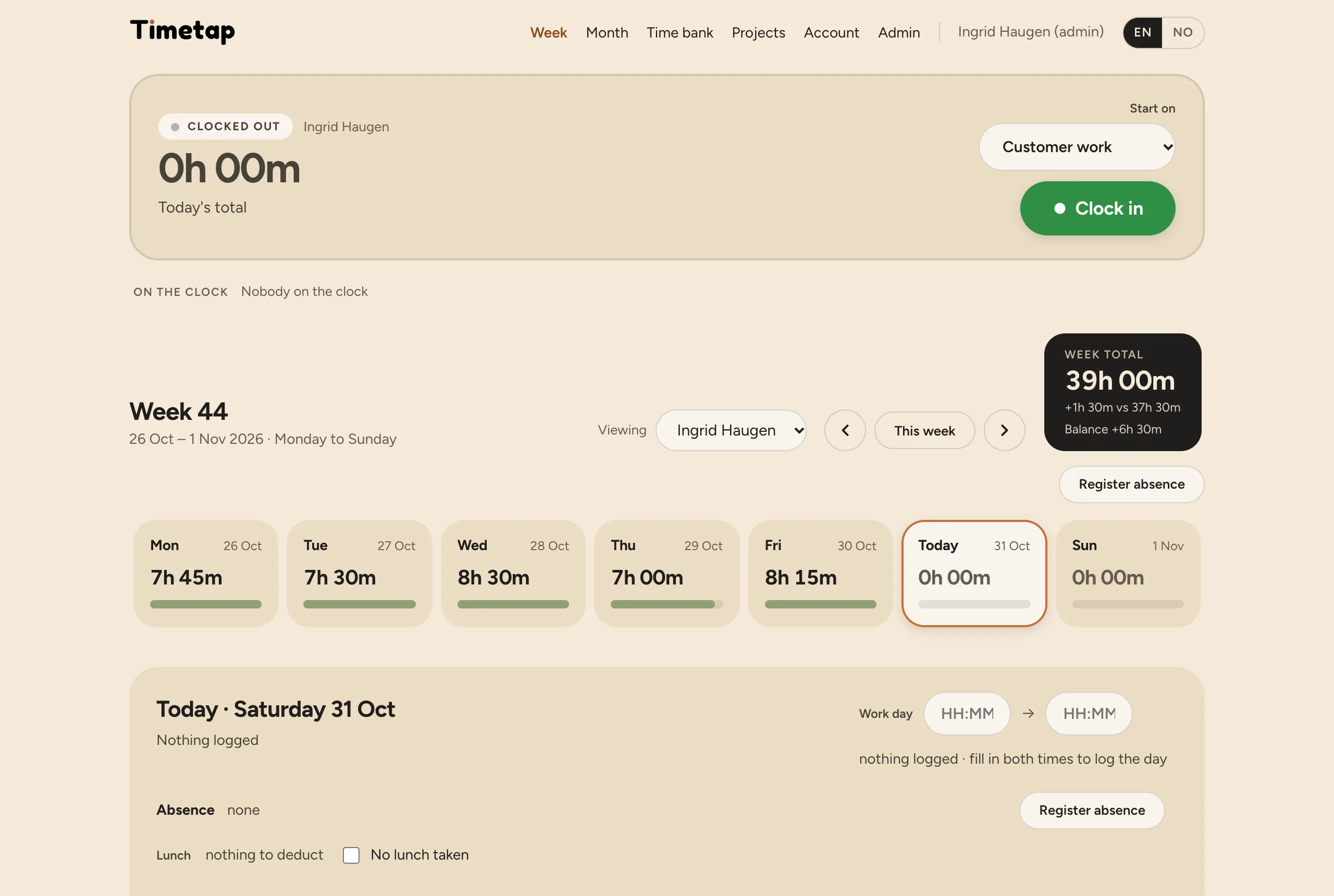
A Clock in button and a list of projects, on a computer or in a phone's browser. Week, Month, Projects and the Time bank are all here too.
The iPhone app
Clock in and out, switch project, or read a tag with the phone. Widgets, Siri and Shortcuts. Away from the office it keeps what you do and sends it when it's back on the network.
All three do exactly the same thing: a tap on the reader and a button in the app are one and the same to Timetap.
Hours and projects, without spreadsheets
Week
Each day's hours with a bar, the week's total, and the balance against each person's weekly hours.
Month
A calendar with each day's hours, public holidays and the company's days off.
Projects
Hours per project for a week, a month or any period. For one person, or everyone added up.
Absence
Holiday, sick or time off, for one day or several. Everyone registers their own; admins see it.
Time bank
The balance, and week by week what each week added or took away. Admins see everyone's in one list.
Fair by design
Everyone sees their own hours. Admins see everyone's and can comment, but can't change a colleague's times. Every change is kept.
Norwegian public holidays are built in. Export to CSV for payroll. English and Norwegian.
Nothing in the cloud
Timetap runs on a small Raspberry Pi in the office, or on a server you already have with Docker (a NAS, Unraid, Proxmox). The hours never leave the building. The server only reaches out when you ask it to: to check for updates, to get a certificate for a secure address, and to send backups where you choose.
Backups every night
On the server, and an encrypted copy to a NAS or the cloud if you like.
Signed updates
One button on the IT page. The server refuses an update that isn't signed.
A secure address
https://yourname.timetap.no, trusted by every browser and iPhone, with nothing to install on them.
Timetap Lite or the full edition
Choose on the IT page and switch whenever you like. Switching keeps everything.
For hours and projects
- Clock in and out, projects, comments
- Week, Month and Projects
- Holiday, sick and time off
- A simple time bank: the balance, week by week
- Public holidays and CSV export
Adds the Norwegian working-time rules
- Overtime: requests, approval, rules and a payroll report
- Time bank with a ledger and averaging agreements
- Holiday planning, requests and a team calendar
- Egenmelding, sykmelding and care days, with counters
- Working-time check against arbeidsmiljøloven's limits
Timetap is free. The iPhone app is paid.
The server, the web page and the readers' software. Every feature of both editions, on a Raspberry Pi or Docker. You buy the hardware yourself - see Hardware.
The iPhone app, in the App Store. It is in testing now; the price isn't set yet. It also works on its own, with no server.
Everything except the iPhone app will be open source - the code is coming to GitHub.
See it for yourself
Click around the real web page, with a made-up workplace. Clock in, switch project, register a day off.